Linkkit Team
Building the future of link management and analytics.
You've seen them everywhere. A link that looks like go.brand.com/sale instead of a 200-character mess stuffed with tracking codes and parameters. That's a short URL — and it's doing a lot more work than it looks like.
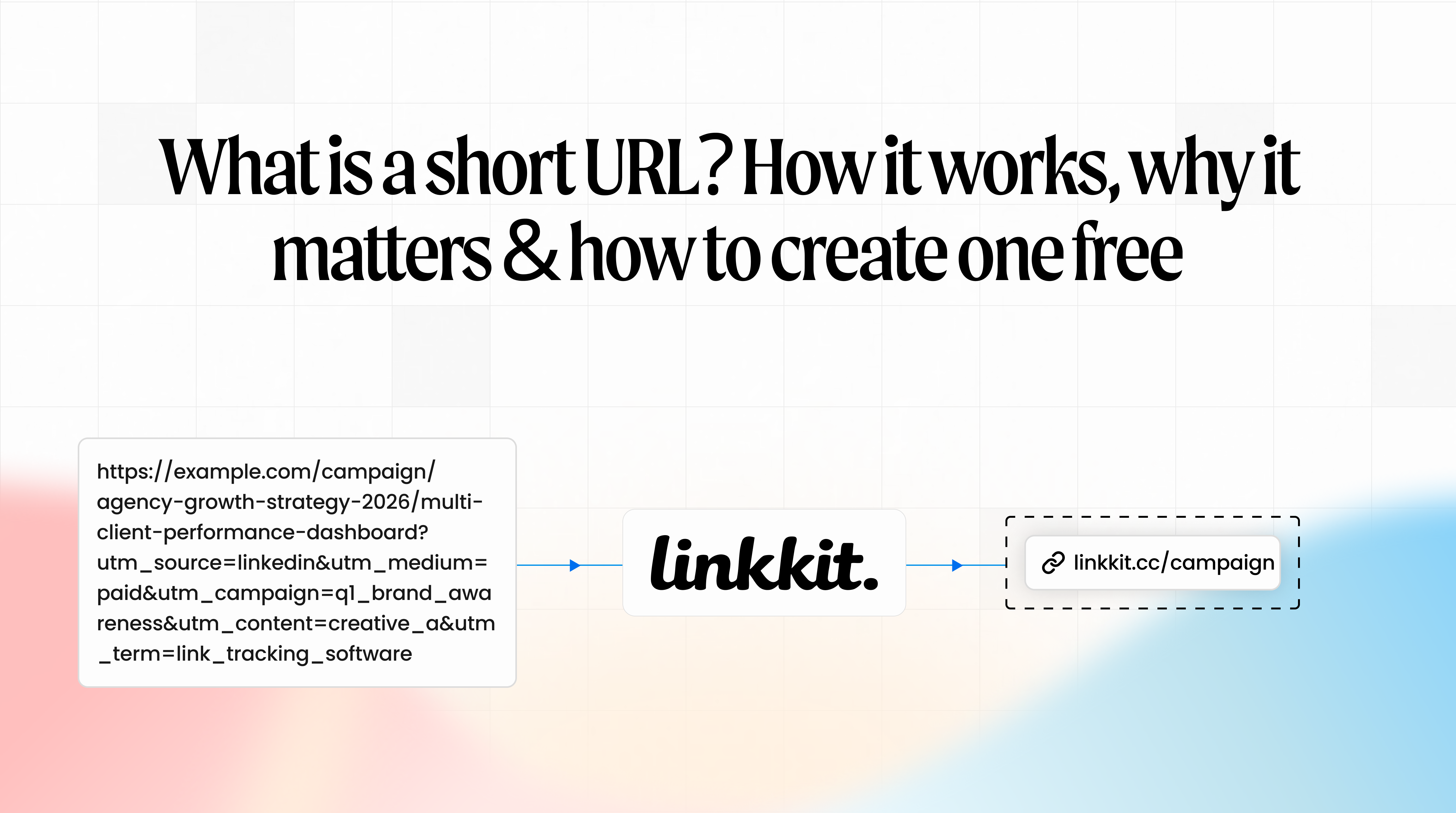
A short URL is a condensed version of a long web address that redirects anyone who clicks it to the original destination. It's cleaner, easier to share, works in places where long links break, and — when created with the right tool — tells you exactly how many people clicked it, from where, and on what device.
Linkkit is a short URL and click analytics platform that lets you create branded short URLs, track every click in real time, and generate QR codes — all from one simple dashboard.
Why long URLs are a real problem
Let's be honest. A URL like this:
https://www.yourstore.com/products/summer-collection/womens?utm_source=email&utm_medium=newsletter&utm_campaign=june-sale-2026&ref=homepage_banner_v2
...is a nightmare to work with.
It breaks across two lines in emails, making the link unclickable. It looks suspicious in a text message — the kind of link people instinctively don't trust. It's impossible to put on a flyer, business card, or packaging. And no matter where you share it, you have zero visibility into whether anyone actually clicked it.
Short URLs solve all of this in one step. You get something clean, shareable, trackable, and professional — without changing where the link goes.
How does a short URL work?
The process is simple and happens so fast you'll never notice it.
You paste your long URL into a tool like Linkkit
Linkkit stores that URL securely and generates a unique short code — for example,
abcd12Your short URL is created — something like
yourbrand.link/abcd12oryourbrand.link/summer-saleWhen someone clicks the short URL, they are instantly redirected to your original destination
Linkkit records the click — location, device, referrer, time — and shows it in your analytics dashboard
The redirect is seamless. Your visitor lands on your page in milliseconds without ever knowing it happened.
Short URL vs long URL — What's the actual difference?
Here's a straight comparison of what you're dealing with:
Feature | Long URL | Short URL |
|---|---|---|
Length | 100–200+ characters | 10–25 characters |
Readability | Messy, confusing | Clean, professional |
Shareable in SMS | No — too long | Yes |
Works on print | Almost never | Yes |
Looks trustworthy | Often suspicious | Branded = trusted |
Click tracking | Not possible | Built-in with Linkkit |
Editable destination | No | Yes |
QR code compatible | Barely | Perfect |
The difference isn't just cosmetic. A long URL in an email loses clicks because it looks broken. A long URL in a text message looks like spam. A branded short URL in the same places gets clicked — because it looks intentional and trustworthy.
What makes a good short URL?
Not all short URLs are created equal. Here's what separates a great one from a mediocre one.
1. A branded domain
A generic shortener domain like bit.ly or tinyurl.com tells people nothing about who's sending the link. A branded short URL uses your own domain — like yourbrand.link/sale or go.yourbusiness.com/offer.
Branded short URLs get more clicks. They look intentional. They build trust before the click even happens. And they keep your brand visible at every touchpoint.
With Linkkit, you can connect your own custom domain in under five minutes — free plan included. Learn more about branded short links.
2. A readable custom slug
The slug is the part after the slash — /sale, /summer, /download, /event2026. A readable slug tells people exactly where they're going. It's also easier to remember, easier to type from a printed source, and looks cleaner in analytics.
Instead of yourbrand.link/x7k2p — use yourbrand.link/summer-sale. Same link. Completely different experience.
3. Click analytics built in
A short URL without analytics is just a shorter link. The real value is knowing what happens after the click — how many people clicked, which country they're in, what device they used, and where the click came from.
With Linkkit's click analytics, every short URL automatically tracks all of this in real time. No setup. No extra tools. It just works.
4. An editable destination
Campaigns change. Landing pages move. Offers expire. A good short URL lets you update the destination without changing the URL itself.
Your printed flyers, email campaigns, QR codes, and social posts all stay intact — even when the page behind them changes. Linkkit gives you this on every link by default.
Where to use short URLs
Short URLs work everywhere links get shared. Here's where they make the biggest difference:
Social media
Your Instagram bio, Twitter/X posts, LinkedIn updates, and TikTok profile all benefit from clean, branded short URLs. They look professional, take up less space, and you can track which platform is driving the most traffic.
Email campaigns
Long URLs in emails break across lines and look unprofessional. Short URLs stay intact, look clean, and let you track exactly how many subscribers clicked each link — and from which email client or device.
SMS and WhatsApp
Character limits matter in SMS. A short URL fits neatly, looks far less suspicious than a long parameter-heavy link, and is more likely to get clicked by recipients who'd otherwise hesitate.
Print — flyers, business cards, packaging
This is where short URLs are irreplaceable. A 150-character URL on a flyer is useless. A clean yourbrand.link/offer is easy to type, remember, and actually reaches people. Combine it with a QR code and you remove even the need to type.
QR codes
Every short URL created with Linkkit automatically generates a QR code. Your short URL and QR code are linked — update one, the other updates too. And every scan is tracked with the same analytics as a link click.
Affiliate and partner marketing
Replace long affiliate tracking URLs with clean branded short URLs. They look more trustworthy to your audience, perform better in click-through, and give you clean analytics on affiliate performance.
How to create a short URL with Linkkit — step by step
Creating a short URL with Linkkit takes under 60 seconds. Here's the process:
Step 1 — Go to your Linkkit dashboard
Log in or create a free account at Linkkit. No credit card required.
Step 2 — Paste your long URL
Paste any URL into the link creation field. Your website, landing page, product page, social profile — anything.
Step 3 — Customise your slug (optional but recommended)
Instead of a random short code, type a readable slug — /summer-sale, /free-guide, /event2026. Makes the link cleaner and more trustworthy.
Step 4 — Set your branded domain (optional)
If you've connected your own custom domain, select it. Your short URL will use your brand name instead of a generic domain.
Step 5 — Create the link
Click create. Your short URL is live instantly. Copy it and share it anywhere.
Step 6 — Track your clicks
Open the link in your dashboard to see real-time click data — total clicks, location map, device breakdown, and referrer source. Updated every time someone clicks.
Short URL best practices
Always use a readable slug/summer-sale beats /x7k2p every single time. It's cleaner, more trustworthy, easier to type, and makes more sense in analytics reports.
Use a different short URL per channel
Create one short URL for email, one for Instagram, one for print. This way your analytics show you exactly which channel is driving traffic — not just total clicks across everything combined.
Use HTTPS always
Every Linkkit short URL uses HTTPS by default. This protects your visitors and ensures your links pass through email filters without being flagged.
Don't use static short URLs for print
If you print a link on 5,000 flyers and the destination changes, a static link becomes a broken link. Linkkit creates dynamic short URLs — you can update the destination any time without reprinting anything.
Test before you print
Click your short URL. Check it opens the right page. Check it opens correctly on mobile. Do this before printing 500 business cards with it on the back.
Does using a short URL hurt SEO?
This comes up a lot. The answer is no — when done correctly.
Linkkit uses 301 permanent redirects. A 301 tells search engines "this is the real destination" and passes link authority correctly. Your SEO is not harmed. Your rankings are not affected.
What you want to avoid is shorteners that use 302 temporary redirects — these don't pass link authority the same way. Linkkit uses 301s by default, so you don't need to think about this.
Why use Linkkit for short URLs?
Branded short URLs — your domain, not a generic one
Full click analytics — location, device, referrer, real-time data
QR codes on every link — automatically generated and tracked
Editable destinations — change where a link goes any time
Simple dashboard — no learning curve, no enterprise complexity
Free plan — no credit card required to get started
Create your first short URL with Linkkit free today — no credit card required.
Conclusion
A short URL is more than just a shorter link. It's a cleaner, more professional, and measurable version of every link you share — one that builds trust before the click, works everywhere from email to print, and tells you exactly what happened after someone clicked it.
If you're still copying and pasting raw URLs into your campaigns, emails, and social posts — you're leaving trust, data, and clicks on the table.
Get started with Linkkit free today and turn every URL into a short, branded, trackable link in under 60 seconds.
Frequently asked questions
What is a short URL?
A short URL is a condensed version of a long web address that redirects anyone who clicks it to the original destination. Short URLs are cleaner, easier to share, work in character-limited spaces like SMS and social media, and — when created with a tool like Linkkit — track clicks automatically.
How do I create a short URL for free?
With Linkkit, you can create a short URL for free in under 60 seconds. Paste your long URL, customise your slug, and your short URL is ready to share. No credit card required.
Do short URLs affect SEO?
No. Professional tools like Linkkit use 301 permanent redirects, which correctly pass link authority to your destination page. Your SEO and search rankings are not affected.
What is a branded short URL?
A branded short URL uses your own custom domain instead of a generic shortener domain. For example, yourbrand.link/sale instead of bit.ly/x7k2p. Branded short URLs build more trust, improve click-through rates, and keep your brand visible on every link you share.
Can I track clicks on a short URL?
Yes. With Linkkit, every short URL automatically tracks total clicks, click location by country and city, device type, and referrer source in real time — from the moment your first click happens.
Can I change where a short URL points after creating it?
Yes. Linkkit creates dynamic short URLs — you can update the destination any time without changing the URL itself. Your emails, printed materials, and QR codes all stay intact.
What is the difference between a short URL and a QR code?
A short URL is a text link you share digitally — in email, social media, SMS, or verbally. A QR code is a scannable image version of that same link for offline use. With Linkkit, every short URL automatically generates a QR code, and both are tracked with the same analytics.
Are short URLs safe?
The short URL itself is safe — it's just a redirect. What matters is where it links to. Linkkit short URLs use HTTPS by default and always redirect to the destination you set. When scanning or clicking any short URL from an unknown source, always check the URL preview before opening it.
Linkkit is FREE to start, TRACK your 500 clicks today.