Linkkit Team
Building the future of link management and analytics.
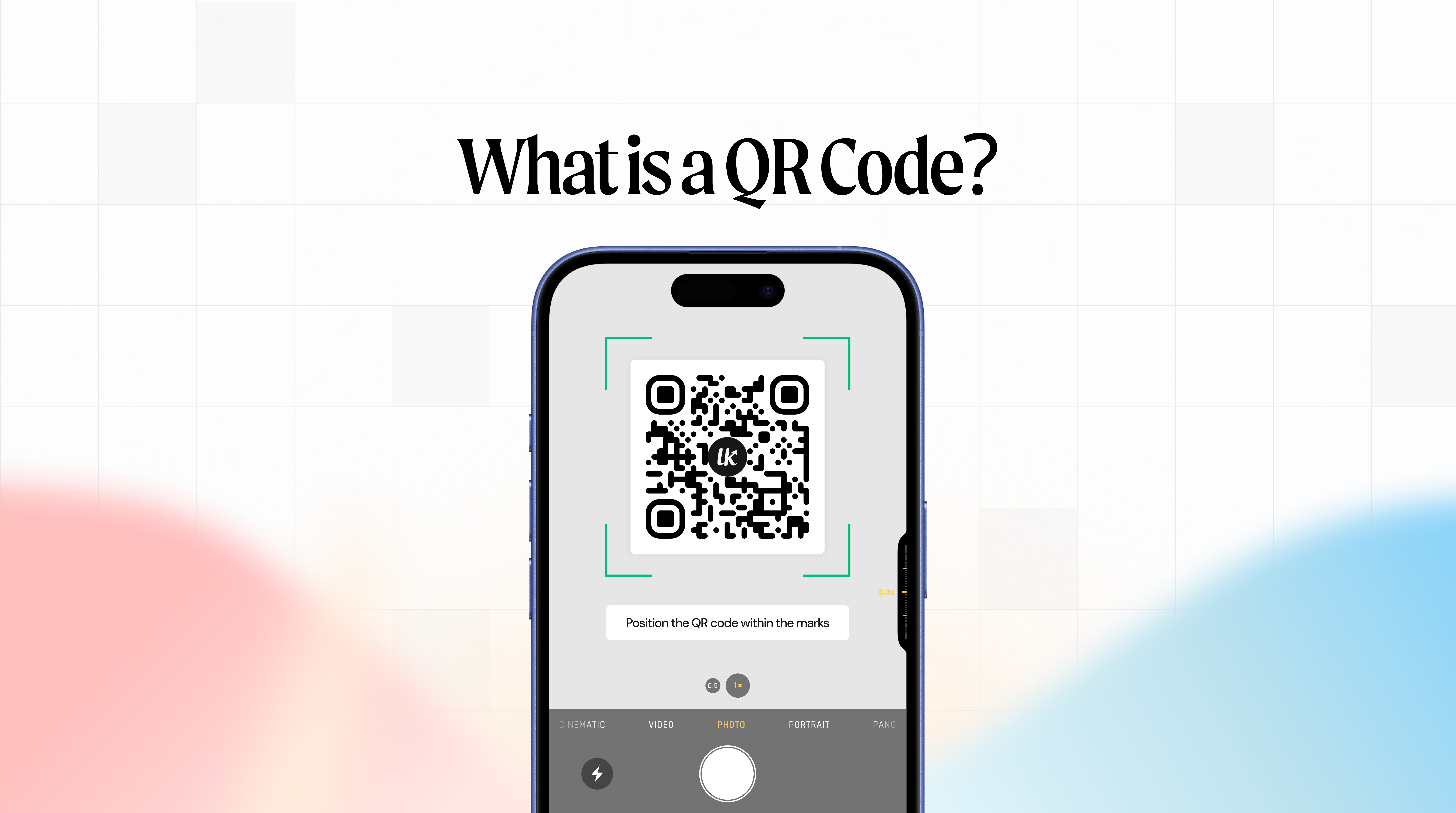
A QR code is a scannable square that stores information — most commonly a web link — and lets any smartphone read it instantly just by pointing the camera. No typing. No searching. One scan and you're there.
You've seen them everywhere. On restaurant tables. On product packaging. On event tickets, business cards, billboards, and bus stops. In 2026, over 2.2 billion people scan QR codes every month — and usage has grown more than 300% since 2021.
But most people who use them every day have never stopped to understand what they actually are, how they work, or why some perform far better than others.
This guide covers all of it — from what QR stands for to why dynamic, trackable QR codes are the only type worth using for any business purpose.
What Does QR Stand For?
QR stands for Quick Response. The name comes from the original design goal — a code that could be decoded at high speed, far faster than a traditional barcode.
A QR code is a two-dimensional matrix barcode. Unlike a standard barcode — which only stores data horizontally in a single row of lines — a QR code stores data both horizontally and vertically across a grid of black and white squares. That two-dimensional structure is why a QR code can hold hundreds of times more data than a barcode.
One small square holds up to 7,089 numeric characters or 4,296 alphanumeric characters. A standard barcode holds around 20. That difference changed what was possible.
Where Did QR Codes Come From?
QR codes were invented in 1994 by an engineer named Masahiro Hara, working at Denso Wave — a subsidiary of Toyota in Japan.
The problem Hara was solving had nothing to do with marketing or restaurants. Toyota's automotive assembly lines were using traditional 1D barcodes to track car parts, but those barcodes couldn't hold enough data and had to be scanned in a specific direction. As production volumes increased, the system was becoming a bottleneck.
Hara designed the QR code to hold more data, scan from any angle, and remain readable even if part of the code was damaged or dirty. The "Quick Response" name reflects the original requirement — it needed to be decoded at the speed of a moving assembly line.
Denso Wave filed a patent but made the decision not to enforce it, making QR code technology freely available to anyone. That decision is a large part of why QR codes are everywhere today.
For the next 25 years, QR codes were mostly an industrial tracking tool. Outside of Japan — where they appeared in advertising and mobile web campaigns early on — most of the world had barely heard of them.
Then COVID-19 happened.
Restaurants replaced physical menus with QR codes overnight. Contactless check-ins, payments, and event access all moved to QR. Consumers learned to scan within months. The format went from niche to universal in under two years — and has kept growing ever since.
How Does a QR Code Work?
The process looks simple from the outside — point, scan, done. Here's what actually happens in that fraction of a second.
Step 1 — Data is encoded
When a QR code is created, the information you want to store (usually a URL) is converted into binary data and arranged as a pattern of dark and light squares on a grid. The pattern follows a specific standard so any scanner can read it.
Step 2 — Finder patterns orient the scanner
The three square patterns in three corners of every QR code are called finder patterns. They help the scanner identify the code, determine its orientation, and calculate the grid size — so the code can be read from any angle or rotation.
Step 3 — Your camera decodes the pattern
When you point your smartphone camera at a QR code, it analyses the grid of squares, reads the binary data encoded in the pattern, and decodes it back into the original information — in milliseconds.
Step 4 — You're redirected
If the QR code contains a URL (the most common use case), your phone opens the link in your browser. The redirect is seamless — you land on the destination page without noticing the process.
The entire sequence from scan to page load typically takes under a second.
Static vs Dynamic QR Codes — The Most Important Distinction
If you're using QR codes for anything business-related, this is the most important thing to understand.
Static QR Codes
A static QR code has the destination encoded directly into the pattern. The URL is baked into the squares themselves.
Once printed, you cannot change it. If your landing page moves, the offer expires, or you typed the URL wrong — the code is useless. You have to generate a new one and reprint everything.
Static QR codes also have no analytics. You cannot see how many times the code was scanned, from where, or on what device.
When static QR codes make sense: Personal one-off uses where the destination will never change and you don't need data. Encoding your home Wi-Fi password for guests, for example.
Dynamic QR Codes
A dynamic QR code contains a short redirect link instead of the final destination URL. That redirect lives on a server — Linkkit's server, in this case — and can be updated any time without changing or reprinting the code.
This means:
You can fix a wrong URL after printing without reprinting anything
You can update a seasonal offer to point to the next campaign
You can reuse the same QR code on a printed banner for multiple events
You can track every scan — how many, from where, on what device, at what time
For any business, marketing, or campaign use — dynamic QR codes are the only sensible choice.
With Linkkit, every short link generates a dynamic QR code automatically. No extra steps. Update the destination any time. Track every scan in your analytics dashboard. Learn more about [Linkkit's QR codes](#).
What Can a QR Code Store?
Most people think of QR codes as URL scanners — and that's the most common use. But QR codes can encode several different types of data:
URL
The most common type. Opens a website, landing page, product page, or any web destination instantly. Makes up the vast majority of QR codes in use today.
Short Link
The professional approach to URL QR codes. Create a branded short link first — like `yourbrand.link/sale` — and build the QR code from that. This gives you analytics, editability, and a cleaner scan experience. This is how [Linkkit's QR codes](#) work by default.
Plain Text
Displays a text message when scanned. Used for instructions, notes, or information that doesn't require internet access.
Contact Card (vCard)
Encodes your name, phone number, email, job title, and company. When scanned, the user can save your contact details directly to their phone. Used on business cards and at networking events.
Wi-Fi Credentials
Encodes a Wi-Fi network name and password. When scanned, the phone offers to connect automatically — no typing required. Used in hotels, cafes, and offices.
Opens a pre-addressed email draft. Useful for contact forms and support flows.
SMS / WhatsApp
Opens a pre-filled text message to a specified number.
App Store Link
Sends iOS users to the App Store and Android users to Google Play — from a single QR code, using device detection.
Where Are QR Codes Used?
QR codes have moved far beyond restaurant menus. In 2026 they appear across almost every industry and channel:
Restaurants and Food Service
The most visible use case. Digital menus, order and pay at table, loyalty programmes, and feedback forms — all accessed by a single QR code scan. Over 90% of UK and US restaurants now use QR codes in some form.
Product Packaging
Brands link to product information, tutorials, warranty registration, recipe ideas, and customer reviews from packaging QR codes. It turns a static label into an interactive experience — and every scan is trackable.
Marketing and Print Campaigns
Flyers, posters, billboards, and magazine ads use QR codes to bridge print and digital. Instead of hoping someone types a URL, you give them a one-scan path to your landing page — and measure how many people use it.
Events and Ticketing
QR codes on tickets, badges, and event materials link to schedules, venue maps, session feedback, and follow-up resources. They're also used for contactless check-in and access control.
Business Cards and Networking
Replace a long list of details with a single QR code that saves your full contact information — name, number, email, LinkedIn, website — in one scan.
Retail and In-Store
Shelf labels, product displays, and point-of-sale materials link to reviews, how-to videos, loyalty programmes, and product comparisons. Shoppers research on the spot rather than leaving to search online.
Healthcare
Patient check-in, prescription information, appointment reminders, and health information leaflets increasingly use QR codes to reduce paper and improve accuracy.
Payments
In much of Asia and growing rapidly in Western markets — QR code payments let customers pay by scanning a code rather than tapping a card. Global QR code payment volumes exceeded $2.4 trillion in 2023.
QR Code Best Practices
Creating a QR code is easy. Creating one that actually performs well takes a little more thought.
Always Use Dynamic QR Codes for Business
This cannot be overstated. Static QR codes are a liability — one changed URL and everything printed with that code becomes a dead end. Dynamic QR codes are updateable and trackable. Use them for everything professional.
Size Matters — Don't Print Too Small
The minimum size for a QR code on a printed flyer or business card held at arm's length is 1 inch (2.5cm). The general rule is that scanning distance should be roughly 10 times the code's width. If in doubt, go bigger.
Contrast Is Non-Negotiable
Dark foreground on a light background. The scanner needs strong contrast to read the grid accurately. Light grey on white will fail. Black on white always works. Test coloured versions thoroughly before committing to print.
Add a Clear CTA Next to Every Code
"Scan for menu" outperforms a bare QR code every time. Tell people what happens when they scan. Be specific — "Scan for 10% off your first order" beats "Scan here" every time.
Test Before You Print
Scan your final QR code at the intended print size, in realistic lighting, from the distance a real person would hold it — before sending to print. This is the step most people skip and the most expensive mistake to fix.
Download SVG for Print
When downloading your QR code for printed materials, always choose SVG format. PNG has a fixed resolution and may appear blurry at large sizes. SVG is a vector format that scales to any size — from a business card to a billboard — without losing quality.
How to Track QR Code Scans
A QR code with no analytics is a missed opportunity. You create it, print it, distribute it — and then have no idea if anyone ever scanned it.
Dynamic QR codes built on tracked short links give you real data on every scan. With Linkkit, every QR code automatically tracks:
Total scans — live count in real time
Scan location — country and city level data
Device type — iOS vs Android, mobile vs tablet
Scan over time — when scans happened, by hour and day
This data tells you whether your offline campaigns are actually working. Whether a QR code on the left side of your flyer gets more scans than the right. Whether your packaging QR code drives more engagement in London or Manchester. Whether scans peak on Tuesday mornings or Friday evenings.
That is the difference between a QR code that exists and a QR code that works.
Learn more about [Linkkit's click analytics](#) and how every scan is tracked automatically.
How to Create a QR Code with Linkkit
Creating a tracked, dynamic QR code with Linkkit takes under 60 seconds:
1. Paste your URL into the Linkkit short link creator
2. Customise your slug — `/menu`, `/offer`, `/event` — for a clean branded link
3. Your QR code is generated automatically — no extra step needed
4. Download as PNG (for digital use) or SVG (for print)
5. Track every scan in your Linkkit dashboard in real time
Every QR code is dynamic by default. Update the destination at any time without reprinting. Track every scan automatically. No watermarks. Available on the free plan.
[Create your first QR code with Linkkit free](#) — no credit card required.
Conclusion
A QR code is a two-dimensional barcode that connects a physical surface to a digital destination in a single scan. It was invented in 1994 to track car parts on a Toyota assembly line. Thirty years later it has become the default bridge between the physical world and the internet.
For casual personal use, any QR code will do. For business use — marketing, packaging, events, print campaigns — you need dynamic QR codes that can be updated and tracked.
The technology is simple. What separates the QR codes that drive results from the ones that sit on flyers unscanned is the combination of good placement, a clear call to action, and real-time analytics that tell you whether it's working.
[Get started with Linkkit free today](#) — branded short links, dynamic QR codes, and full scan analytics from your very first code.
Frequently Asked Questions
What is a QR code?
A QR code (Quick Response code) is a two-dimensional matrix barcode that stores data — most commonly a URL — as a pattern of black and white squares. When a smartphone camera points at it, the device instantly decodes the pattern and opens the linked destination.
What does QR stand for?
QR stands for Quick Response — reflecting the original design goal of a code that could be decoded at high speed, much faster than a traditional 1D barcode.
Who invented the QR code?
The QR code was invented in 1994 by Masahiro Hara and his team at Denso Wave, a subsidiary of Toyota in Japan. It was designed to track automotive parts on assembly lines. Denso Wave chose not to enforce their patent, making the technology freely available worldwide.
How do QR codes work?
When you point your smartphone camera at a QR code, it reads the pattern of black and white squares, decodes the binary data encoded in the grid, and opens the destination — usually a website — in your browser. The whole process takes under a second.
What is the difference between a static and dynamic QR code?
A static QR code has the destination encoded directly into the pattern — it cannot be changed after creation. A dynamic QR code uses a short redirect link, meaning you can update the destination at any time without reprinting. Dynamic QR codes also track scan analytics. For any business use, dynamic QR codes are the right choice.
Do you need an app to scan a QR code?
No. Any iPhone running iOS 11 or later and most Android phones from 2018 onwards can scan QR codes using the built-in camera app. No third-party app is needed.
Can QR codes expire?
Static QR codes do not expire. Dynamic QR codes — like those created with Linkkit — do not expire either, but the destination can be updated or disabled at any time.
Are QR codes safe to scan?
The QR code itself is safe — it is just encoded data. What matters is where it links to. Always check the URL preview before tapping, be cautious of QR codes placed in public locations you do not recognise, and never enter payment details or passwords on a page you were not expecting.
How do I track QR code scans?
With Linkkit, every QR code automatically tracks scans in real time — including location by country and city, device type, and time of scan. This data appears in your analytics dashboard from the moment your first scan happens.
How do I create a QR code for free?
With Linkkit, you can create a dynamic, trackable QR code for free in under 60 seconds. Create a short link, and your QR code is generated automatically — downloadable as PNG or SVG. No credit card required.
Linkkit is FREE to start, TRACK your 500 clicks today.