
Creating Your First Link
Step-by-step guide to shortening your first URL
Creating your first link in Linkkit allows you to turn long, complex URLs into clean, branded, and trackable links in just a few steps. Whether you’re sharing a product page, marketing campaign, blog post, or landing page, Linkkit helps you create professional links that are easy to manage and monitor.
This guide will walk you through the entire process.
Step 1: Log In to Your Dashboard
Sign in to your Linkkit account and go to your main dashboard. This is where you manage all your links, analytics, and settings.
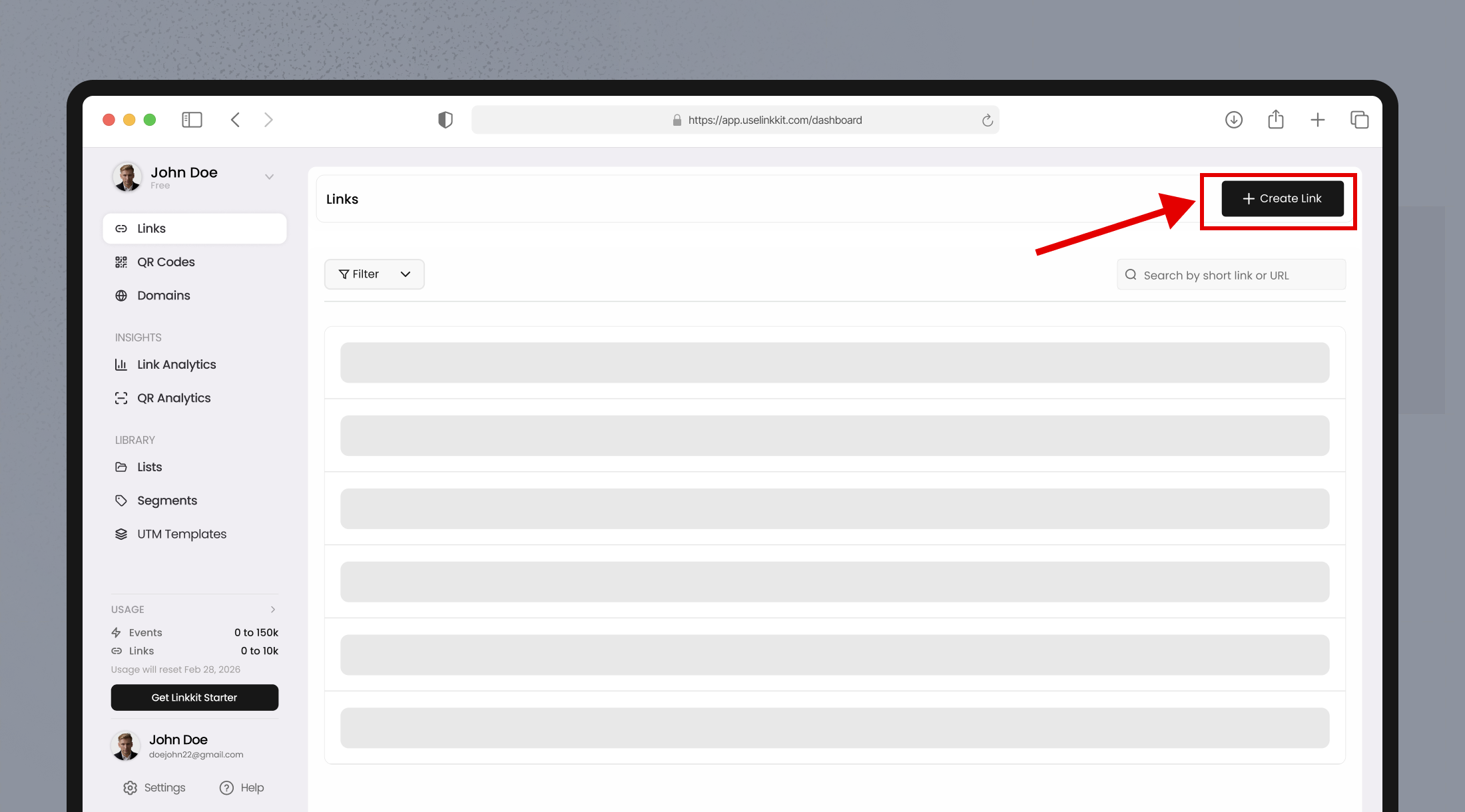
Step 2: Click “Create New Link
On your dashboard, click the Create New Link button to open the link creation panel.
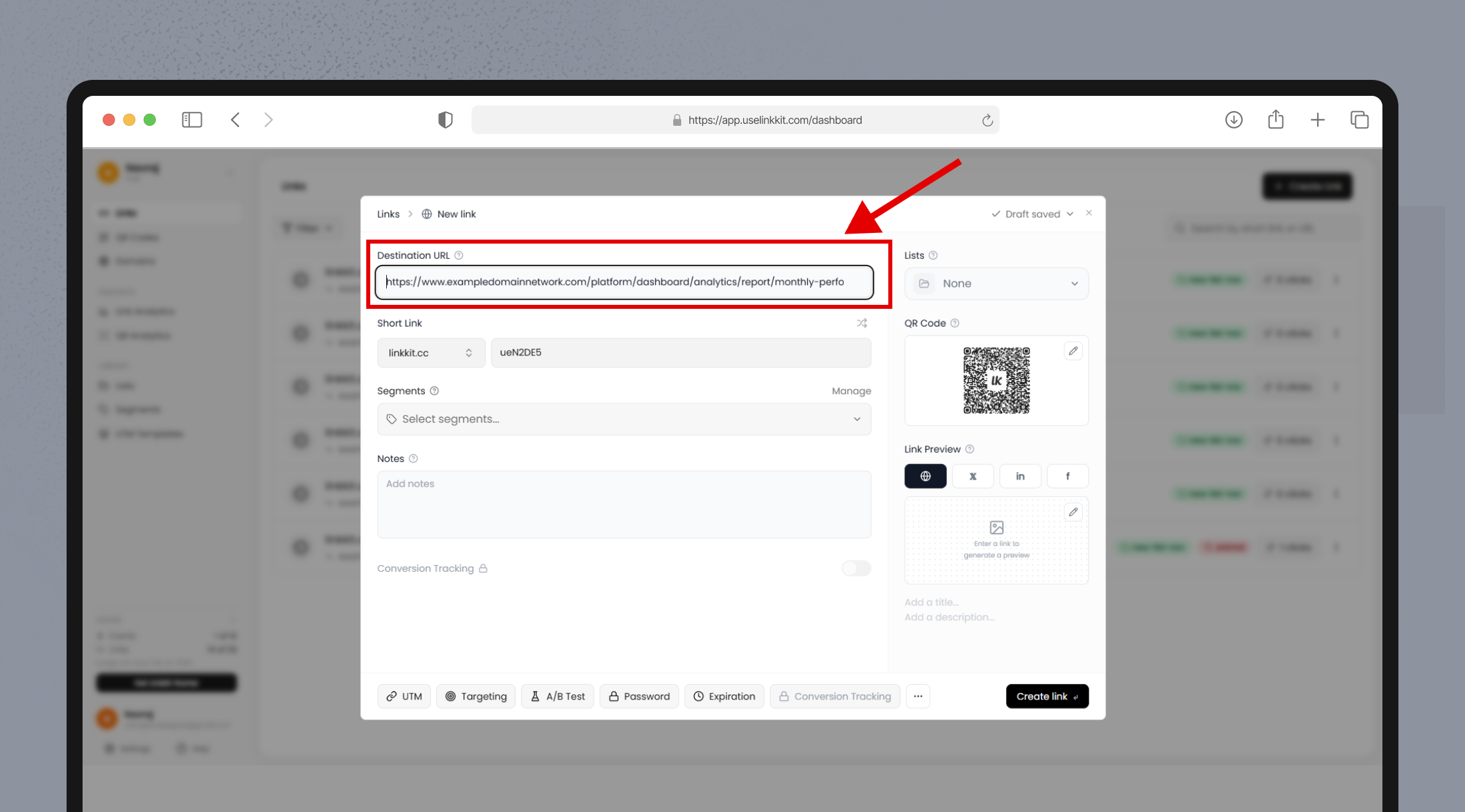
Step 3: Add Your Destination URL
Paste the full URL you want people to visit into the Destination URL field.
Example:
Instead of sharing:https://yourwebsite.com/products/summer-collection-launch-offer-2026
You can create a cleaner, more professional version.
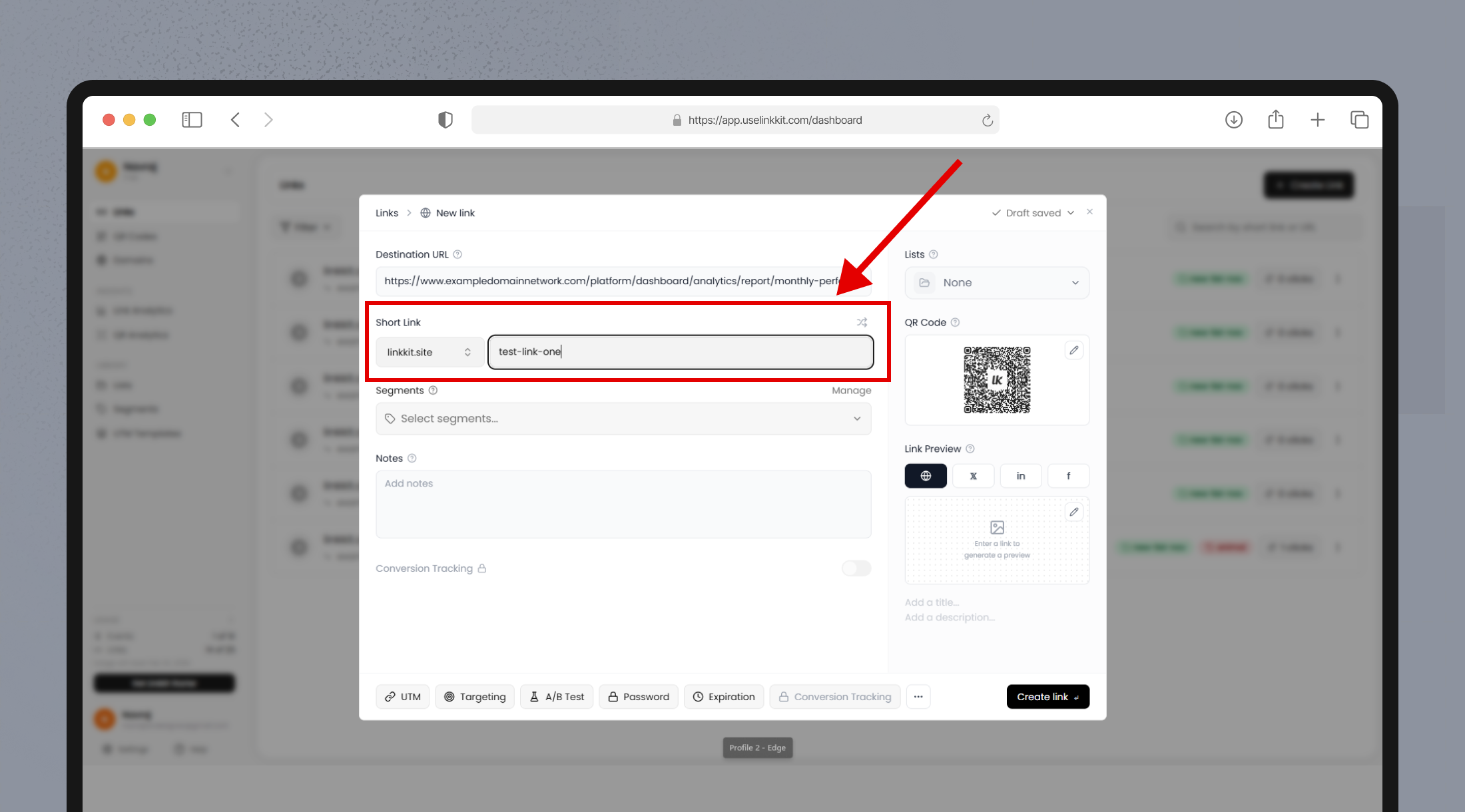
Step 4: Customize Your Link (Slug)
You can personalize the last part of your URL, known as the slug.
For example:yourbrand.link/summer-sale
Customizing your link makes it:
More memorable
Easier to share
Better for branding
More trustworthy
If you don’t enter a custom slug, Linkkit will automatically generate one for you.
Step 5: Configure Optional Settings
Before saving your first link, you can enhance it with additional settings:
Add segments for better organization
Assign the link to a list
Set an expiration date or click limit
Add UTM parameters for campaign tracking
Enable password protection (if required)
These options help you manage campaigns more efficiently.
Step 6: Save and Share
Click Save to generate your link.
Your first link is now ready to copy and share across:
Social media platforms
Email campaigns
Paid advertisements
SMS messages
QR codes
Monitor Link Performance
After sharing your link, visit the Analytics section to track performance. You can view:
Total clicks
Traffic sources
Devices used
Geographic locations
Click trends over time
Tracking performance helps you understand what’s working and improve your marketing strategy.
Best Practices for Creating Effective Links
Keep your slug short and relevant
Use branded domains for better trust
Add tracking parameters for campaigns
Organize links using segments and lists
Use expiration settings for limited-time offers