
Creating Your Account
Sign up for Linkkit and set up your workspace
The easiest way to get started with Linkkit is directly through our website. We offer a generous free plan that allows you to create and manage short links, track clicks, and explore essential link management features. As your needs grow, you can upgrade to access advanced tools like team collaboration, branded domains, and enhanced analytics.
Sign up here to create your free Linkkit account.
Most users choose our cloud-hosted platform for convenience and instant setup. However, businesses that require advanced infrastructure control or custom deployment options can contact our team to explore enterprise solutions.
Sign Up for a Linkkit Account
To get started, head to the Linkkit sign-up page. You’ll be asked to enter:
Your preferred username (this becomes part of your short link, such as yourbrand.link/username)
Your email address
A secure password
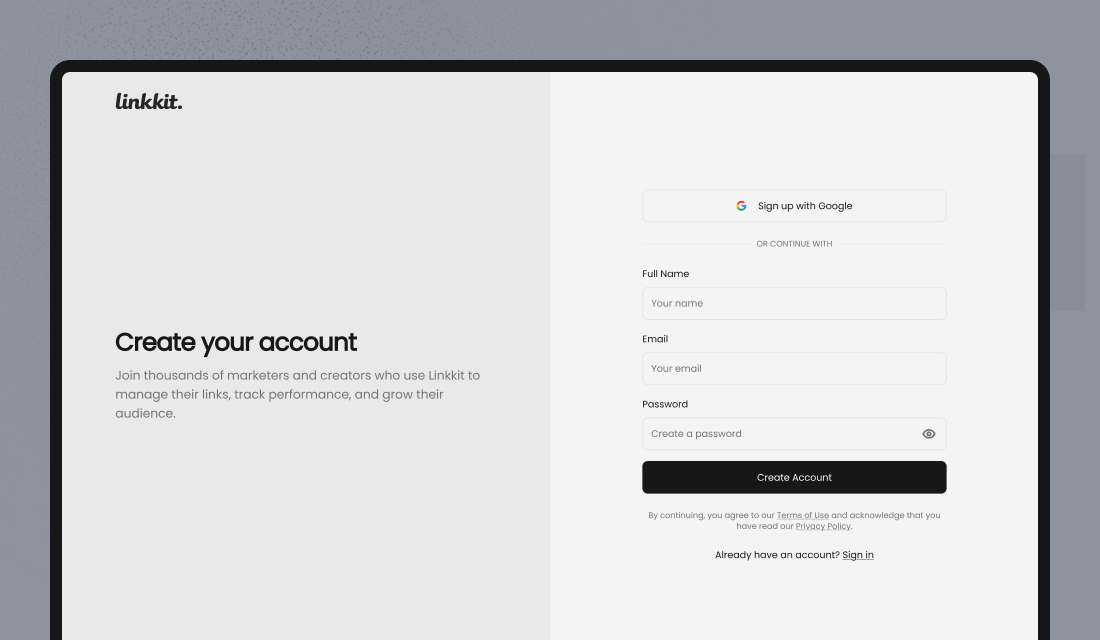
You may also have the option to sign up using Google or other supported single sign-on (SSO) methods for faster access.
Please note: certain premium usernames — such as very short names or common brand terms — may require a paid plan. This helps prevent username misuse and ensures businesses can secure high-value names. You can always begin with a standard username and upgrade later from within your dashboard.
Once your registration is complete, you’ll be guided through a quick onboarding process to help you:
Create your first short link
Customise your profile
Explore analytics features
Continue to the next section to learn how to set up your first link and start tracking clicks.