
Slack Integration
Slack integration in Linkkit allows you to connect your Slack workspace to Linkkit so you can create short links directly from Slack and receive real-time notifications about link activity.
Connect Linkkit with Slack to create short links directly from Slack and receive real-time link notifications in your channels.
With the Slack integration, your team can generate links faster and stay updated on link activity without leaving Slack.
What the Slack Integration Does
When connected, Slack allows you to:
Create short links using the
/linkkitcommandReceive notifications for link activity
Share shortened links instantly in any Slack channel
Improve collaboration around campaign tracking
This is especially useful for marketing, social, and growth teams that work inside Slack daily.
How to Connect Slack to Linkkit
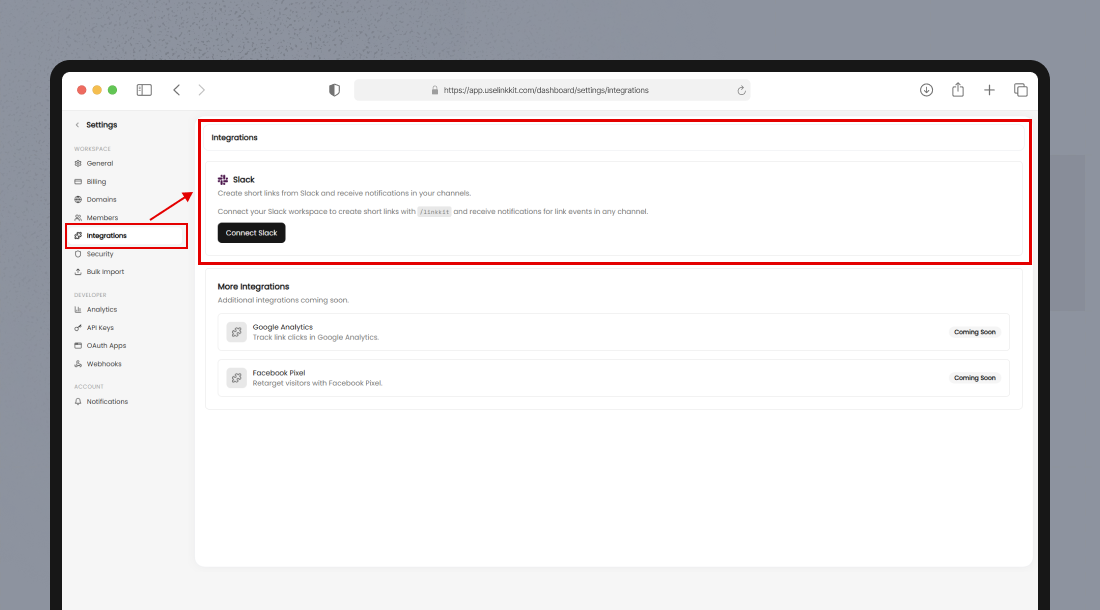
To connect your Slack workspace:
Log in to your Linkkit Dashboard
Go to Settings
Click Integrations
Under Slack, click Connect Slack
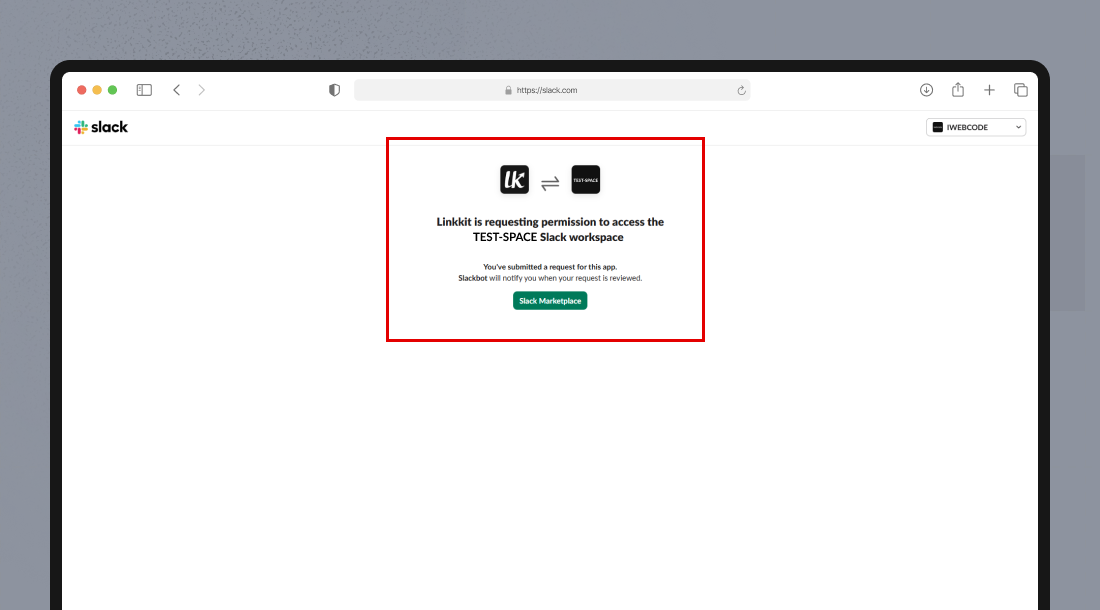
Authorize Linkkit in your Slack workspace
Once connected, your Slack workspace will be linked to Linkkit.
How to Create Short Links from Slack
After integration, you can generate short links directly inside Slack using:
/linkkit https://example.comSlack will instantly return a shortened Linkkit URL.
You can use this command in:
Public channels
Private channels
Direct messages
This allows you to create links without switching between tools.
Receiving Slack Notifications
You can receive notifications in Slack when:
A new short link is created
A link receives clicks
Campaign activity increases
Notifications help your team monitor performance in real time.
Notification preferences can be managed from:
Settings → Notifications
Managing the Integration
To manage or disconnect Slack:
Go to Settings
Click Integrations
Select Slack
Choose to reconnect or disconnect the workspace
You can reauthorize Slack anytime if needed.
Summary
The Slack integration enables faster link creation and real-time tracking directly inside Slack. By connecting Linkkit with Slack, teams can collaborate more efficiently and stay aligned on campaign performance without leaving their workflow.